> ## Documentation Index
> Fetch the complete documentation index at: https://bruno-a6972042-mintlify-6a414c21.mintlify.site/llms.txt
> Use this file to discover all available pages before exploring further.
# Generate Documentation
Generate a standalone HTML documentation file from your collection in a few clicks.
## Generate Documentation
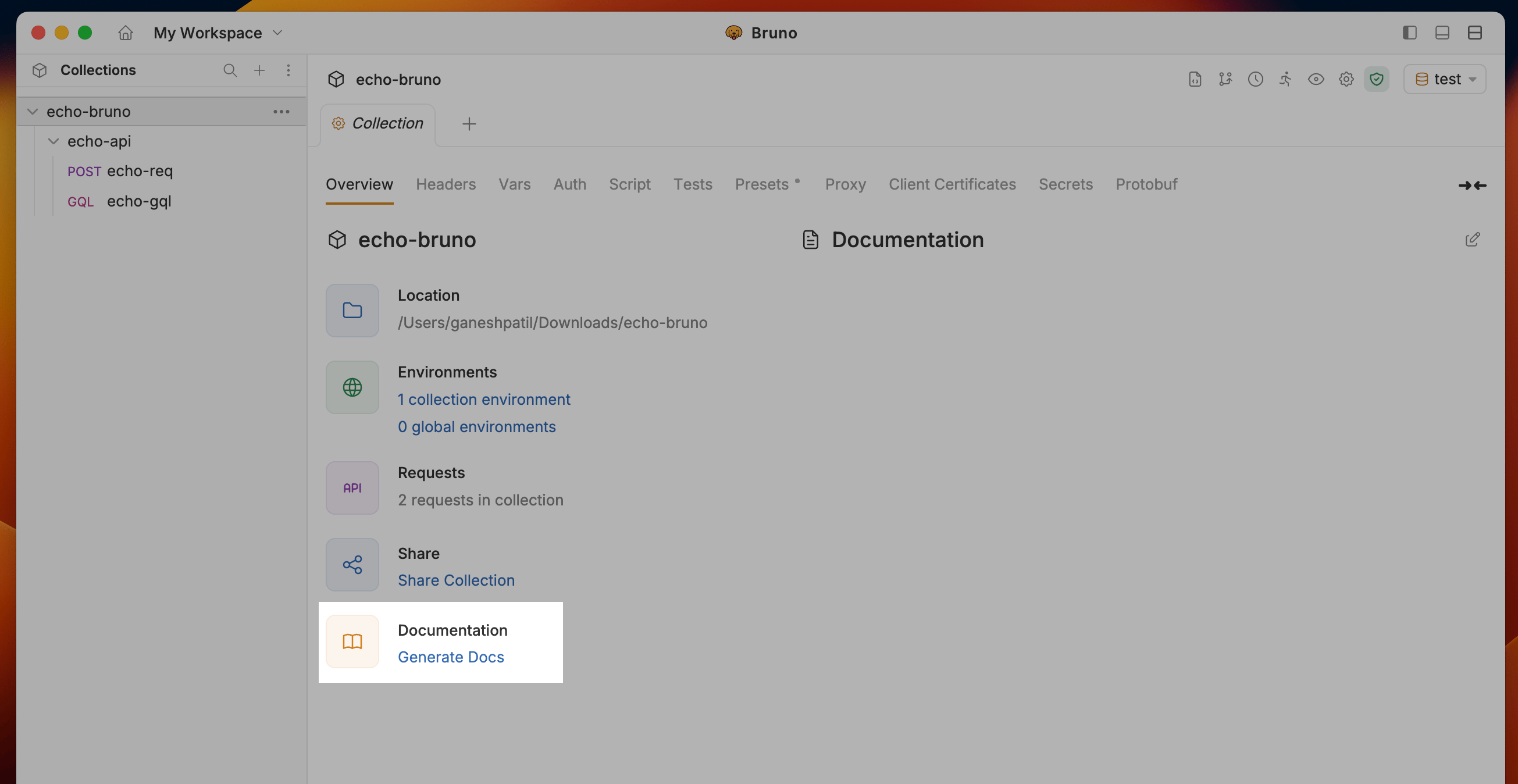
1. Navigate to the Collection Settings and click on the **Generate Docs** under Documentation section
 2. Select **Environment** to include in the documentation and click the **Generate** button to create the HTML documentation
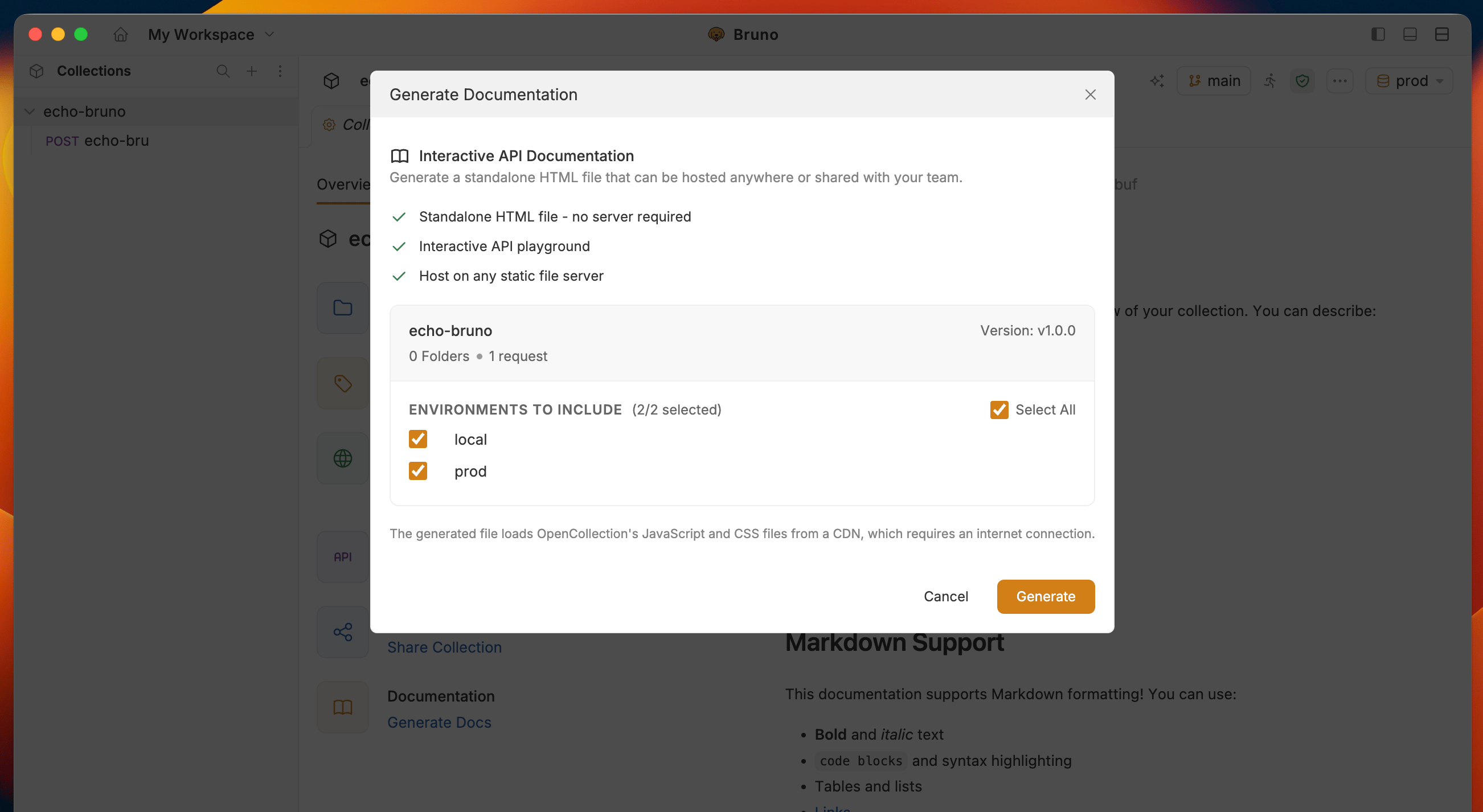 **Optional:** You can set a collection version before generating docs. Collections without a version show "Not set".
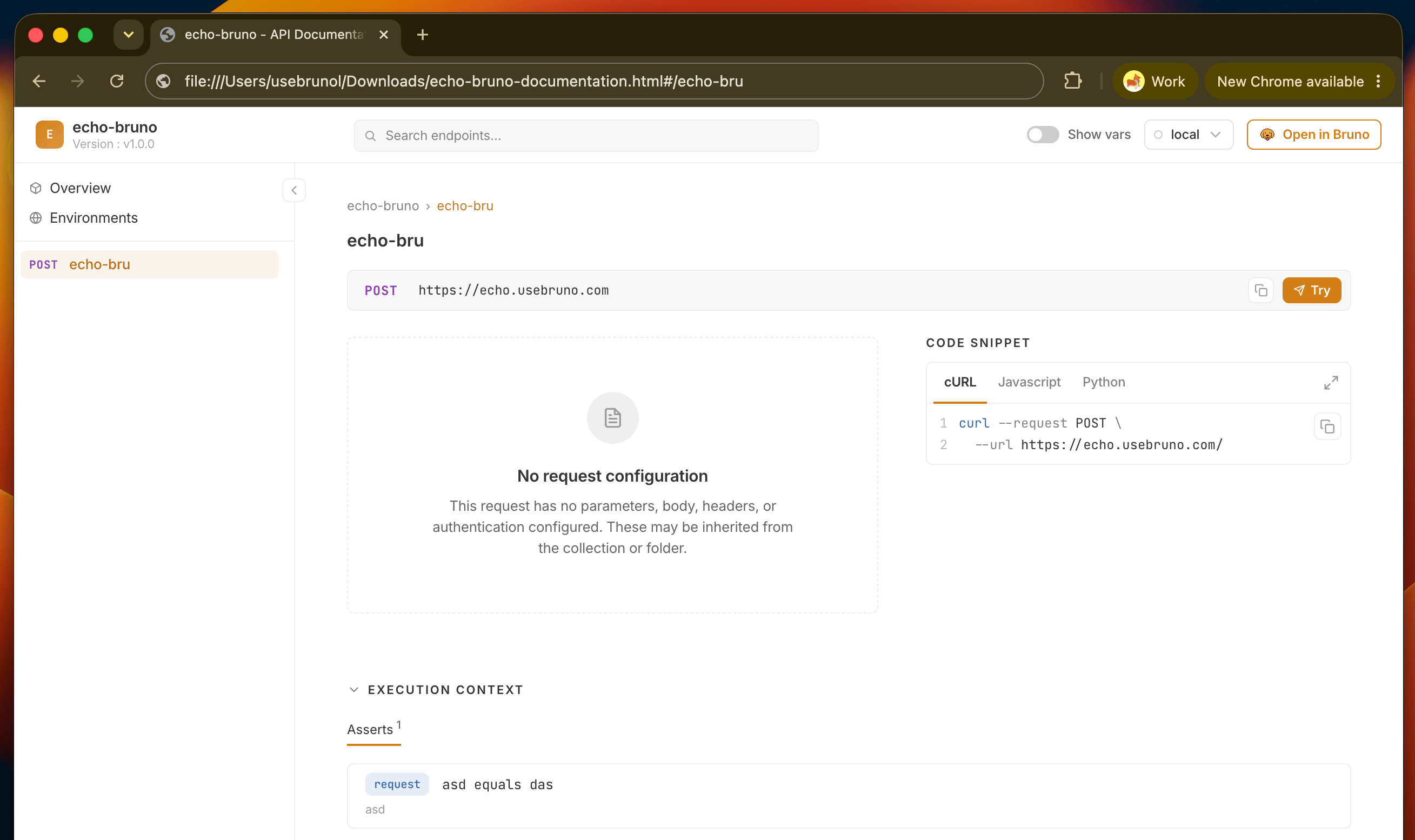
3. Bruno will generate a documentation file for your collection in your file system with name `collection-name-documentation.html`
**Optional:** You can set a collection version before generating docs. Collections without a version show "Not set".
3. Bruno will generate a documentation file for your collection in your file system with name `collection-name-documentation.html`
 The generate docs dialog also offers advanced filtering. You can include or exclude requests by their tags, and toggle a link to the collection's git repository (shown only when the collection has a git remote).
## Generate Docs with the CLI
The [Bruno CLI](/bru-cli/overview) can generate the same standalone HTML documentation with the `bru docs generate` command. This is useful for publishing docs automatically from CI/CD.
Run the command from your collection directory:
```bash copy theme={null}
bru docs generate
```
By default the output file is named `-documentation.html`. Use `--output` (or `-o`) to choose a different path:
```bash copy theme={null}
bru docs generate -o docs/api.html
```
### Options
| Option | Description |
| ---------------- | --------------------------------------------------------------------------------- |
| `--output`, `-o` | Output file path. Defaults to `-documentation.html`. |
| `--envs` | Environments to include, comma-separated. Cannot be combined with `--all-envs`. |
| `--all-envs` | Include every environment in the collection. |
| `--exclude-envs` | Environments to leave out when using `--all-envs` or `--envs`. |
| `--tags` | Only include requests with these tags. |
| `--exclude-tags` | Skip requests with these tags. |
| `--git-link` | Add a link to the git repository. On by default; pass `--no-git-link` to skip it. |
### Examples
Include specific environments:
```bash copy theme={null}
bru docs generate --envs staging,prod
```
Include every environment except one:
```bash copy theme={null}
bru docs generate --all-envs --exclude-envs Local
```
Filter requests by tags:
```bash copy theme={null}
bru docs generate --tags public,stable
```
```bash copy theme={null}
bru docs generate --tags smoke --exclude-tags wip
```
Skip the git repository link:
```bash copy theme={null}
bru docs generate --exclude-tags WIP --no-git-link
```
If an environment named in `--envs` or `--exclude-envs` does not exist in the collection's `environments/` directory, the command errors with `Environment(s) not found`. The generated file matches the output of the **Generate Docs** flow in the app.
## Next steps
* See what readers can do in the generated site: [switch environments](/html-docs/environments), [search requests](/html-docs/search), and [try requests live](/html-docs/playground)
* [Deploy and share](/html-docs/deploy) the file with your team or API consumers
The generate docs dialog also offers advanced filtering. You can include or exclude requests by their tags, and toggle a link to the collection's git repository (shown only when the collection has a git remote).
## Generate Docs with the CLI
The [Bruno CLI](/bru-cli/overview) can generate the same standalone HTML documentation with the `bru docs generate` command. This is useful for publishing docs automatically from CI/CD.
Run the command from your collection directory:
```bash copy theme={null}
bru docs generate
```
By default the output file is named `-documentation.html`. Use `--output` (or `-o`) to choose a different path:
```bash copy theme={null}
bru docs generate -o docs/api.html
```
### Options
| Option | Description |
| ---------------- | --------------------------------------------------------------------------------- |
| `--output`, `-o` | Output file path. Defaults to `-documentation.html`. |
| `--envs` | Environments to include, comma-separated. Cannot be combined with `--all-envs`. |
| `--all-envs` | Include every environment in the collection. |
| `--exclude-envs` | Environments to leave out when using `--all-envs` or `--envs`. |
| `--tags` | Only include requests with these tags. |
| `--exclude-tags` | Skip requests with these tags. |
| `--git-link` | Add a link to the git repository. On by default; pass `--no-git-link` to skip it. |
### Examples
Include specific environments:
```bash copy theme={null}
bru docs generate --envs staging,prod
```
Include every environment except one:
```bash copy theme={null}
bru docs generate --all-envs --exclude-envs Local
```
Filter requests by tags:
```bash copy theme={null}
bru docs generate --tags public,stable
```
```bash copy theme={null}
bru docs generate --tags smoke --exclude-tags wip
```
Skip the git repository link:
```bash copy theme={null}
bru docs generate --exclude-tags WIP --no-git-link
```
If an environment named in `--envs` or `--exclude-envs` does not exist in the collection's `environments/` directory, the command errors with `Environment(s) not found`. The generated file matches the output of the **Generate Docs** flow in the app.
## Next steps
* See what readers can do in the generated site: [switch environments](/html-docs/environments), [search requests](/html-docs/search), and [try requests live](/html-docs/playground)
* [Deploy and share](/html-docs/deploy) the file with your team or API consumers